
Where We Left Off
Part 16 was DNS redundancy, a floating IP, and the XRDP detour from hell. Heavy stuff. Two servers that can lose either half and keep answering. The infrastructure is, for once, genuinely resilient.
So naturally I spent an evening making my dashboard cosplay as the bridge of the Enterprise.
This one's a side quest. No redundancy, no failover, nothing load-bearing. Just me, Homepage, and a question that had no business taking up as much of my brain as it did: should my dashboard be LCARS, or optionally LCARS?
The Rabbit Hole
I run Homepage as my dashboard — it's been in the stack since Part 12, sitting there in plain stock dark the whole time. Functional, fine, completely anonymous. Meanwhile Capy UI had crept onto everything else I touch — Mastodon, Vivaldi, my editor, even this blog. The dashboard was the one holdout still wearing the default.
That alone was reason enough to fix it. But the thought didn't stop there: what if I could switch? Capy on a normal day. LCARS when I'm feeling like a starship captain. Pip-Boy when the homelab feels post-apocalyptic (which, some weeks, it does).
The catch is that Homepage doesn't have a theme switcher. It has customCSS and customJS and that's your lot. Whatever I built had to live inside those two hooks.
One CSS Block, Many Themes
The trick is dead simple once you stop overthinking it. Every theme gets scoped under a body class — body.theme-capy, body.theme-lcars, and so on — and they all live in the same customCSS. Nothing is active until a class lands on <body>.
css
body.theme-capy {
  background-color: #1c1d21 !important;
  font-family: 'Nunito', sans-serif !important;
}
body.theme-capy .service-card,
body.theme-capy .widget {
  background-color: #36383f !important;
  border-radius: 12px !important;
}
Then a small customJS blob adds a floating 🎨 button, toggles the class, and remembers your pick in localStorage so it survives a reload. Shift+T cycles through them for when you can't be bothered to click.
There's one wrinkle worth knowing: Homepage is a Next.js app, so it re-renders and will happily wipe your body class out from under you. A MutationObserver that re-asserts the class fixes it — without it, the theme flickers off every time the page repaints.
The Themes
I built five.
Capy UI — the daily driver. Same palette as the rest of the family. This is the one that ships.
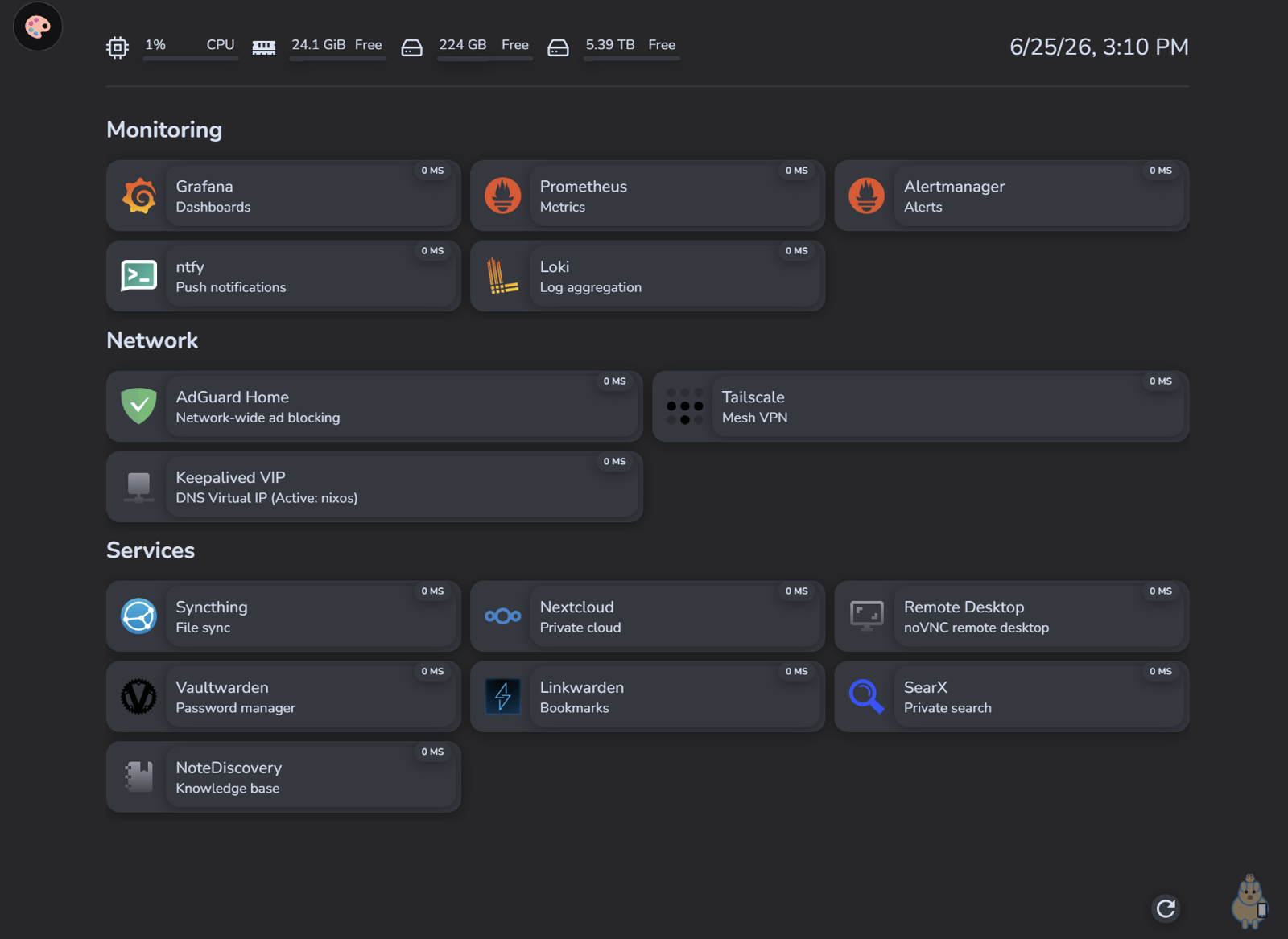
LCARS — black backgrounds, the authentic color rail down the left, pill-shaped headers. My first attempt had purple card backgrounds and looked wrong in a way I couldn't place until I went and looked at actual LCARS — the panels are black, the color lives in the structure, never behind the text. Fixed it. Now it's right.
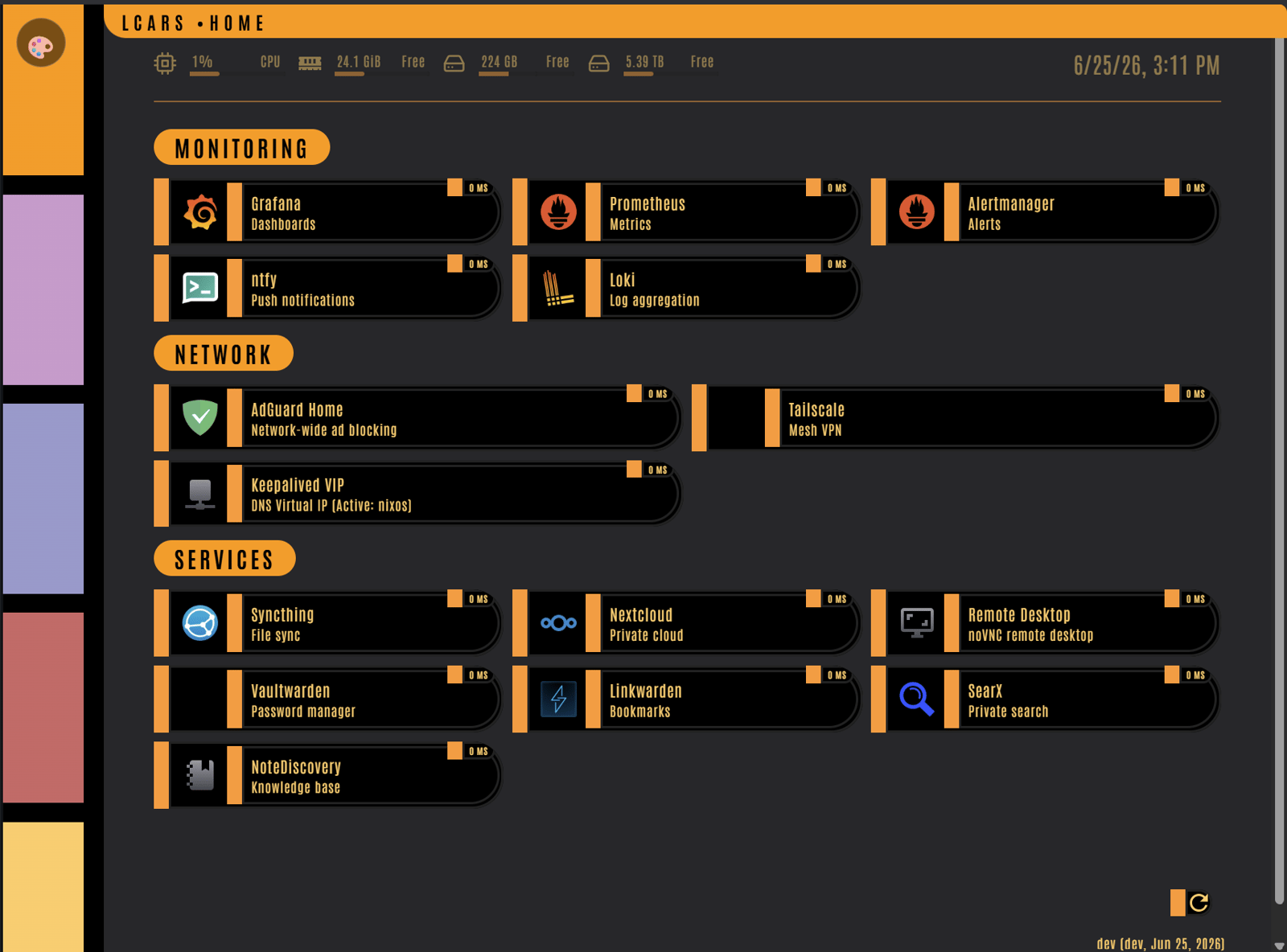
Pip-Boy — amber phosphor, scanlines, a CRT vignette. Genuinely readable, which surprised me.
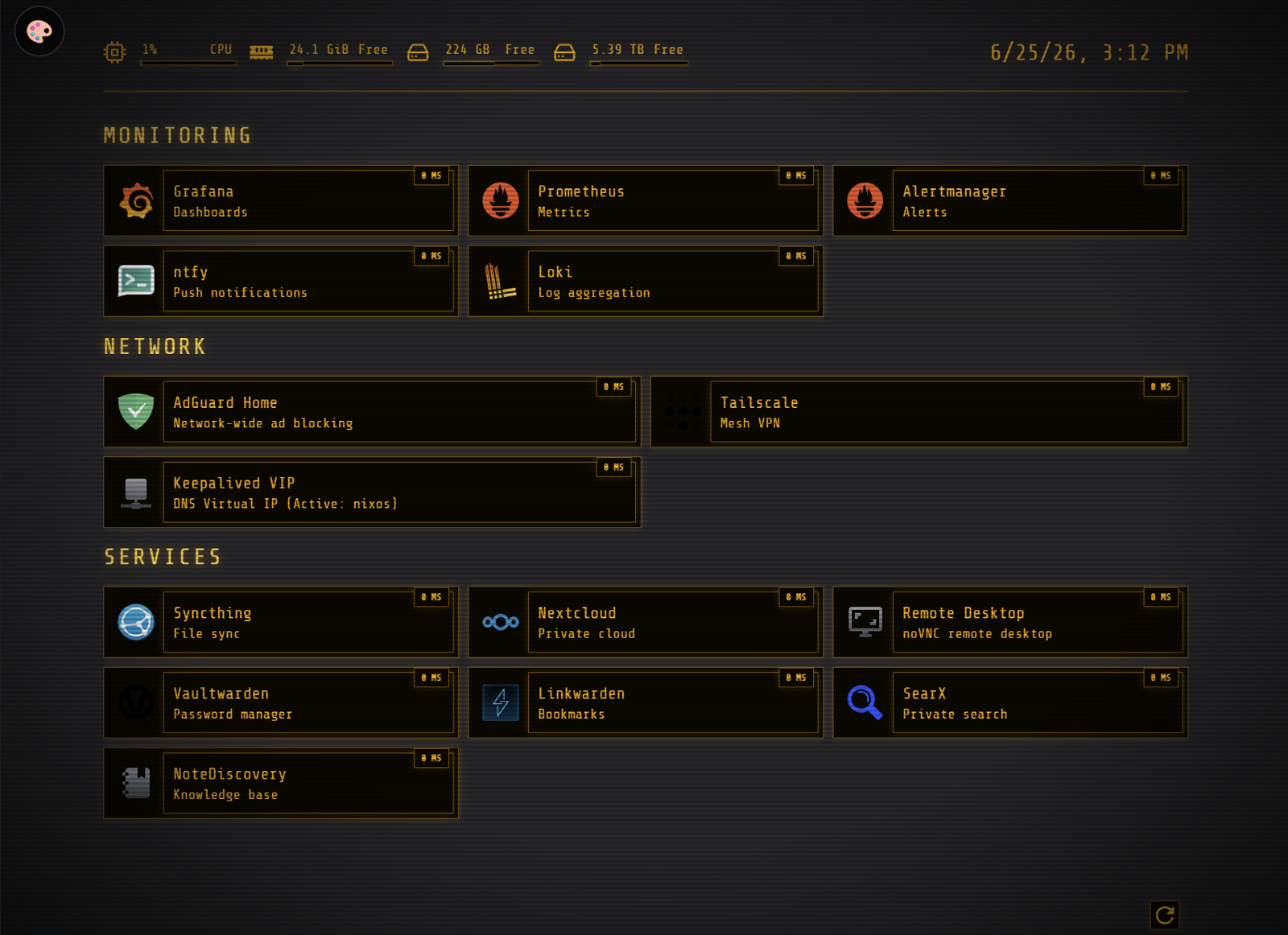
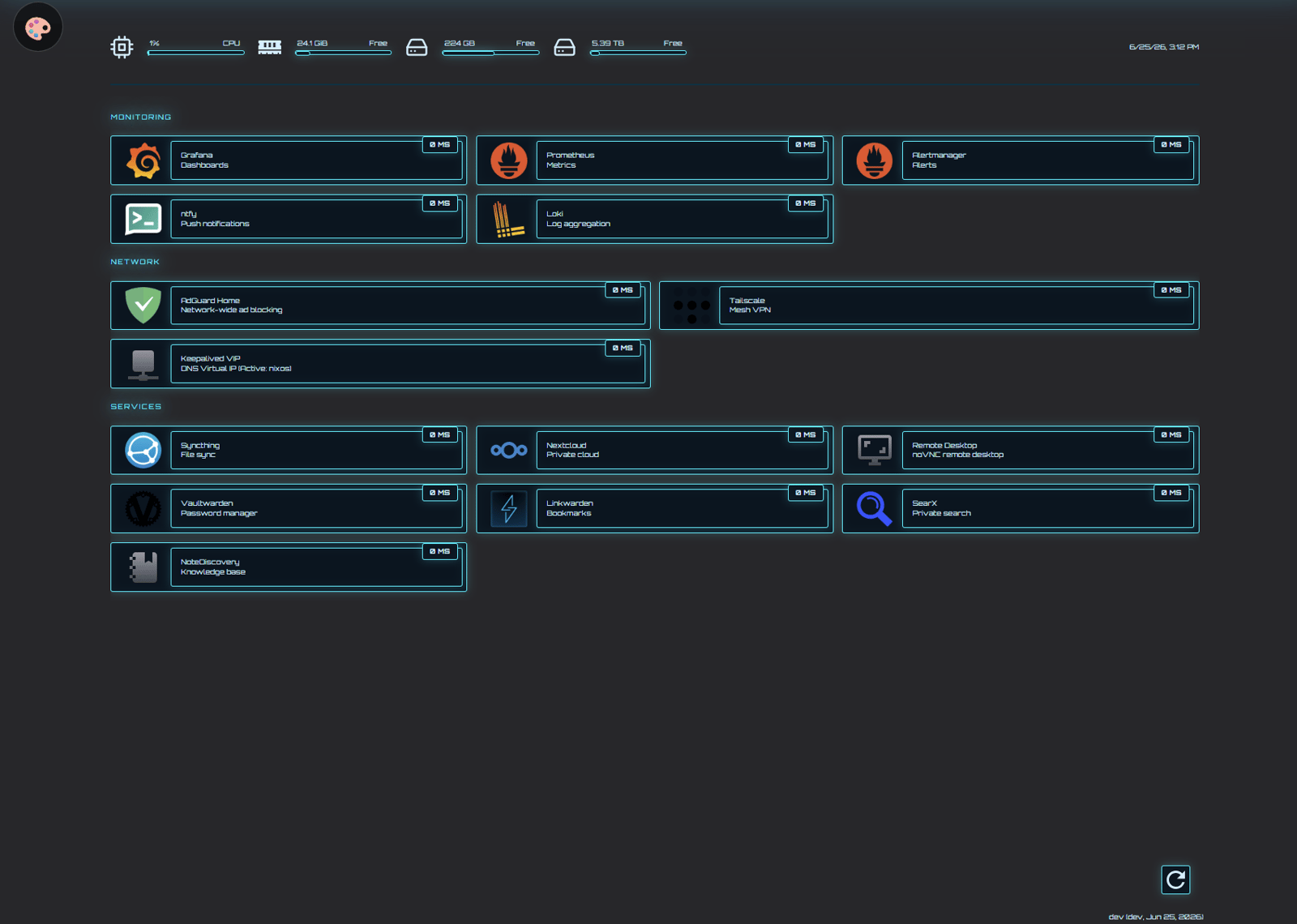
TRON — near-black with a faint grid and cyan neon glow on everything.
DOS — IBM blue, yellow headers, a blinking C:\HOME> prompt in the corner. Pure nostalgia.
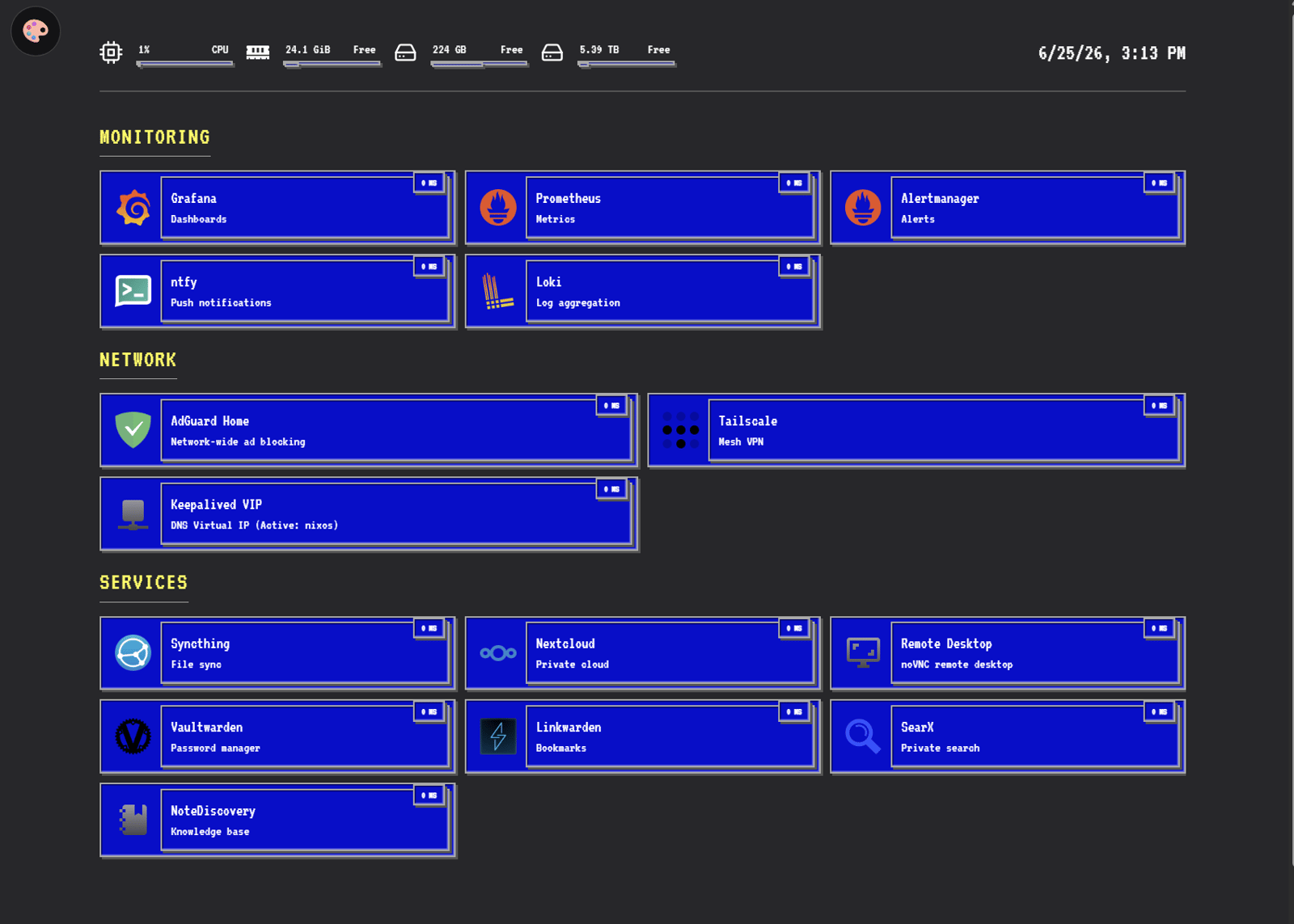
The Part Where I Don't Get Sued
Here's the thing. Four of those five themes are reproductions of someone else's intellectual property. LCARS is Paramount. Pip-Boy is Bethesda. TRON is Disney. Capy is mine; the other four are most assuredly not.
For a personal dashboard nobody but me will ever see, that's a non-issue. But this config lives in a public Codeberg repo, and it gets baked into the ISO I publish. That's distribution. And I'd rather not be the guy distributing a turnkey recreation of someone's trademarked design under my own name.
So the split: Capy ships public. The fandom themes don't. They live in a private file the public config optionally pulls in if it happens to exist:
nix
privThemesPath = /etc/nixos/private/homepage-customthemes.nix;
extra =
  if builtins.pathExists privThemesPath
  then import privThemesPath
  else { themes = [ ]; css = ""; };
builtins.pathExists is doing real work here. On a fresh clone — or in the ISO, which never carries my private folder — the file isn't there, extra falls back to empty, and you get a clean Capy-only dashboard that still builds. No eval errors, no missing-file explosions. The fandom themes simply aren't part of what I hand out.
To make adding themes painless, the switcher's theme list isn't hardcoded in the JS. It's generated from Nix:
nix
allThemes = baseThemes ++ extra.themes;
themesJSON = builtins.toJSON allThemes;
That JSON gets injected straight into the JavaScript. Drop a new theme into the private file, rebuild, and it appears in the 🎨 picker on its own. I never touch the public file to add one.
Am I under any illusion this stops anyone? Not even slightly. Anyone with a screenshot and five minutes of an LLM's time can recreate any of these. That was never the point. The point is that the reproduction isn't coming from me or from my repo. Someone asks where they got it, the answer is "not here — go look, the only theme in the repo is my own." The git history backs that up.
The NixOS String Gotcha That Ate an Hour
If you do this declaratively, here's the one that got me. NixOS multiline strings use '' as the delimiter. CSS pseudo-elements use content: '';. See the problem?
css
body.theme-lcars::before {
  content: '';   /* this ' ' closes the Nix string. boom. */
}
That empty content value silently terminates the string and the rest of your CSS gets parsed as broken Nix. The fix is Nix's escape for a literal '' — three single quotes:
css
content: '''; /* correct inside a Nix '' string */For the non-NixOS crowd: none of this applies to you, and that's the whole point of the next bit. If you're running Homepage in Docker or bare-metal, you're editing plain custom.css and custom.js files — where content: ''; is just normal, correct CSS. The Nix escaping is purely a NixOS-string artifact. Don't copy the ''' version into a real .css file or you'll be the one debugging for an hour.
It Got Its Own Repo
Since this is part of the Capy UI family now, I pulled it out into its own home: HomepageCapyUI. It ships the Capy theme as standalone .css/.js for any Homepage setup, plus the NixOS module and the private-themes extension point. Same MIT license as the rest of the family.
It joins Mastodon, Kagi, Vivaldi, VS Code, Visual Studio, and Pagecord. At this point Capy UI is less a theme and more a small, deranged design system that follows me everywhere.
Lessons Learned
A body class plus localStorage is a whole theme switcher. You don't need a framework. Scope each theme under a class, toggle it, remember the choice. That's it.
Next.js will erase your DOM changes. A MutationObserver to re-assert the class is the difference between "works" and "flickers off constantly."
Look at the real thing before you fake it. My first LCARS had purple panels because I guessed. Five minutes looking at actual LCARS told me the panels are black and the color is structural. Reference beats memory.
builtins.pathExists is the clean way to ship optional config. Public repo gets the safe default, private file extends it, fresh clones and ISOs don't break. No conditionals scattered everywhere.
content: ''; will silently eat your Nix build. Three single quotes inside '' strings. And keep the escaped version out of any real .css file.
Keeping IP-based themes private won't stop a determined person — and that's fine. It's not about prevention. It's about not being the distribution vector. Capy ships. The cosplay stays home.
Sometimes the resilient-home-server series is about floating IPs and warm standbys. And sometimes it's about giving your dashboard a mood ring. Both are valid uses of a Tuesday night.
The full configs are on Codeberg: nixos and nixos2. The theme has its own repo at HomepageCapyUI. If you're following along on Mastodon: @ppb1701@ppb.social